
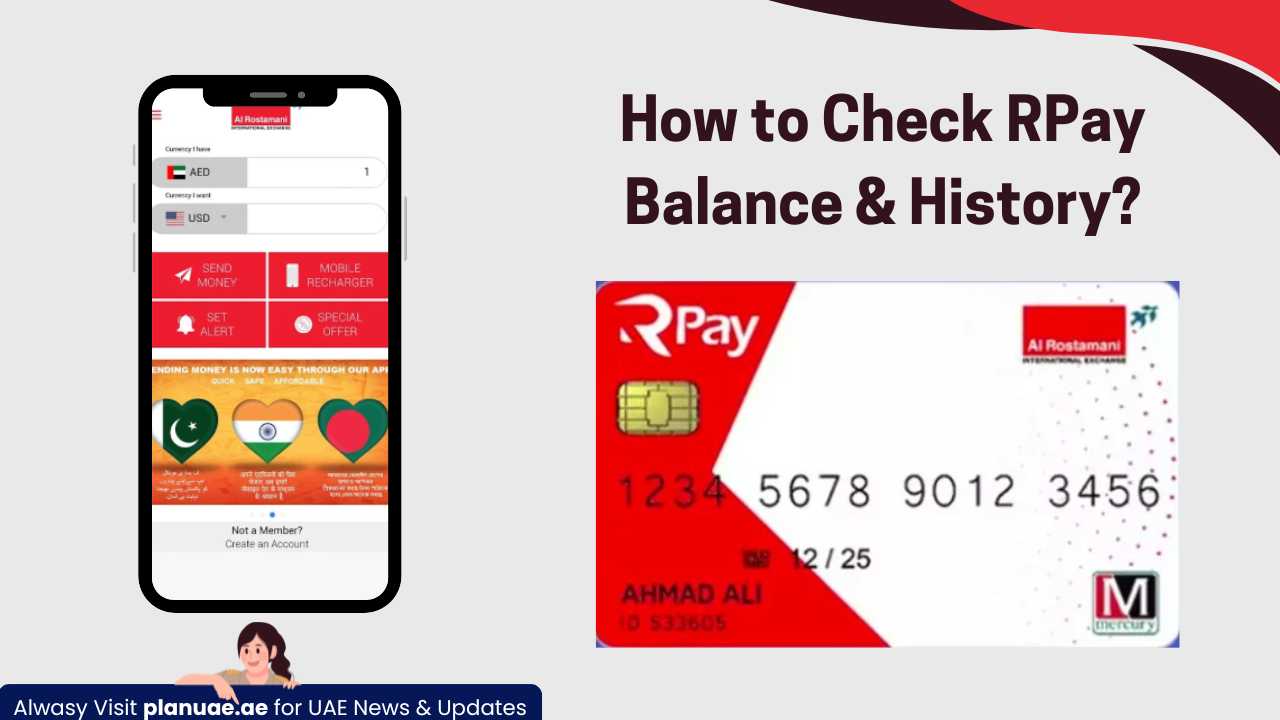

Foreign employees in the UAE use the RPay card, commonly known as the RPay payroll card or Al-Rustamani salary card, to receive their salaries. This card works like a bank account, which makes it easy to withdraw and receive money. People from abroad who come to the UAE for work are given this card after the job. New users face some difficulties in using such services, so we are going to tell you the complete method of checking salary card balance (RPay Balance Enquiry) and finding out the transaction history. Additionally, the RPay card offers various banking services for expats in UAE, allowing them to manage their finances more effectively. Users can easily access their transaction history through the RPay mobile app, ensuring that they stay informed about their spending. This convenience contributes to a smoother transition for expatriates adapting to life in the UAE.
How to Check RPay Balance Online?
The Al Rustmani International Exchange Mobile App (ARIE App) is an effortless way to check the balance of your RPay card. The process takes just a minute and shows you the current balance on the screen within a minute through the app and other methods. In addition to checking your RPay card balance, the ARIE App also supports a lulu salary card balance inquiry, ensuring that users can easily manage multiple accounts in one place. The user-friendly interface allows for seamless navigation, making financial tracking more accessible than ever. With real-time updates, you can stay informed about your balances and make informed spending decisions. Moreover, the app highlights various salary card benefits for workers, providing insights into how employees can maximize their earnings. Users can access helpful resources and tips on financial management, allowing them to take full advantage of their salary cards. This comprehensive approach not only simplifies balance checks but also empowers users to make smarter financial choices.
This app is designed for all types of mobile devices and is available on Google Play Store, Huawei Store, and Apple Store. When you create an account on it for the first time, you must provide your card number, Emirates ID, date of birth, etc. Apart from the app, you can also check your balance by visiting the nearest Al-Rustamani branch, which is very convenient.
#1. RPay Balance Enquiry through the ARIE App
Checking your balance through the ARIE App is easier and faster. This step-by-step guide explains how to access your RPay Payroll Card details, view your balance, and manage transactions securely. To get started, simply open the ARIE App and navigate to the RPay section. The app provides various ppc fab bank balance methods that ensure you can check your current balance and transaction history with ease. This streamlined process makes managing your finances more convenient and secure. Additionally, the ARIE App also offers insights into alternative investment options in UAE, allowing you to explore new opportunities for growing your wealth. With just a few taps, you can gain access to resources and tools that enhance your financial decision-making. This integration empowers users to take control of their financial futures more effectively.
Step 1#: Download and install the ARIE app
First of all, you need to download and install this app on your mobile phone. You can download and install these apps from the links given below, depending on your device.
Step 2#: Open the ARIE app
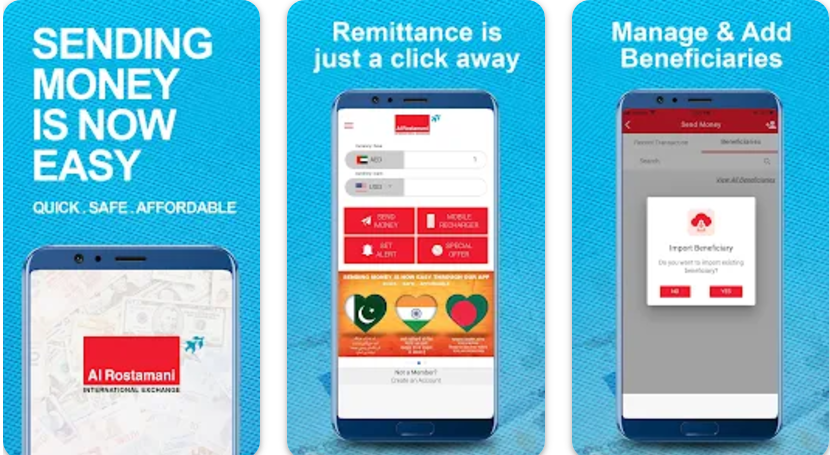
After installing the app, open the ARIE App (Al Rostamani Int Exchange) on your mobile phone.
Step 3#: Register and login
If you have never used this app or created an account on it, you will first need to register. To register, you will need to provide the following details: You will typically be asked for your name, email address, and a secure password. Once you submit this information, you may receive a verification email to confirm your registration. After completing these steps, you can easily learn how to open a du pay account and start enjoying the app’s features. Once your account is set up, you’ll have access to a range of financial tools in the uae that can help you manage your expenses and track your spending habits effectively. Additionally, the app offers personalized recommendations based on your financial goals, making it easier to optimize your budget. Be sure to explore all the features available to make the most of your financial management experience.
- Emirates ID Number
- Mobile Number
- Other Personal Information
- Card Number
Once registered, use your RPay account login information.
Also read: How to Close a Mashreq Neo Account
Step 4#: Provide Your RPay Card Details
If you have not added your card details to this app, first of all, add your card details, including your Emirates ID number and other information. Once your card details are added, you’ll be able to access various features within the app. This includes the option to easily find out how to check medical insurance status, ensuring you are always informed about your coverage. Additionally, make sure to review any alerts or notifications regarding your insurance for a seamless experience. Furthermore, it’s crucial to understand the know your customer process in UAE to ensure compliance and avoid any potential issues. This process helps verify the identity of app users and protects against fraud, enhancing your overall experience. By following these guidelines, you can fully enjoy the benefits of the app while staying secure and informed.
Step 5#: Select the balance check option
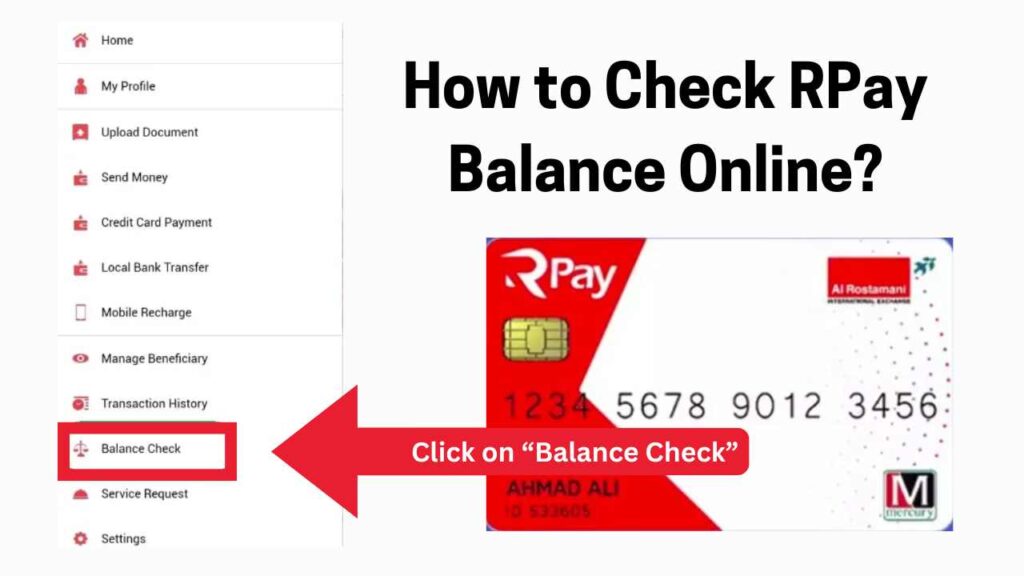
- Go to Dashboard and select “Balance Check“.
- Your current balance will be displayed on the screen.
Benefits of this App & Balance Enquiry:
Using this guide, you can easily check your RPay Card Details and balance for FREE. You can get the following benefits through this app, including: Additionally, the app provides real-time notifications for transactions, ensuring you stay updated on your spending. It also simplifies the process of managing your finances by allowing you to track your expenses effortlessly. For those wondering how to check ratibi card balance, the app offers a straightforward interface that guides you through the process seamlessly. Moreover, the app keeps you informed about related financial services, such as the emirates nbd remittance fees 2025, helping you make more cost-effective decisions when sending money. By consolidating all your financial tools in one place, it empowers you to manage your resources more efficiently, ultimately enhancing your financial well-being. Additionally, the user-friendly design makes navigating through various features quick and intuitive.
- Check balance: You can check your balance anytime using the app and from anywhere.
- View transaction history: If you face any issues, you can view the transaction history anytime.
- Transfer money: You can send money to your friends or family in just a few clicks with local and international money transfer facilities.
- Manage card settings: In case the card is lost, you can control it from the app, and even block and unblock it. Also, you can change the Card PIN from the app without visiting a branch or an ATM.
- Save Time: You don’t need to go to a branch or ATM; everything is possible from your mobile.
#2. Check balance via SMS
With this service, you can check your account information, balance, transaction alerts, and other information via SMS. There is no need to do RPay Balance Enquiry as you are notified of each transaction via SMS, and your current balance is always visible. To avail the SMS service, you need to follow the steps given below:
- First, log in to your mobile app and go to Account Settings.
- Turn on SMS service; some fees may apply.
- You can also activate the SMS service in your account by visiting any nearby RPay branch.
Once you subscribe to the service, you will be informed of all transactions, deposited and spent amounts, and remaining balance details via SMS.
#3. RPay Balance Enquiry through Branches
This is an easy and offline method to check the balance info of your card. You have to just visit any nearest Al Rostamani branch and talk with any staff member to provide you with the balance information. Here is the step-by-step guide: Once you reach the branch, ensure you have your Al Ansari salary card with you for verification. The staff member will assist you in retrieving your Al Ansari salary card balance quickly and efficiently. Don’t hesitate to ask any additional questions you may have regarding your account or card services. Additionally, if you’re interested in checking balances for other cards, it’s important to familiarize yourself with the procedures. For example, to learn how to check hafilat card balance, you may also need to visit a designated service center or use specific apps tailored for this purpose. Make sure to keep all relevant card details handy for a smoother process.
- Check the nearest Al Rostamani branch by visiting the Al Rostamani branches page.
- Visit the nearest branch on time
- Talk with any service employee and request them for the RPay balance Enquiry
- Provide your RPay Payroll Card
- In a few minutes/seconds, the service employee will provide you with the balance information.
If you have any issues with your account, meet the branch manager or service employee and provide your issue details.
Al Rostamani Exchange branches are open Monday to Saturday: 9:00 am to 10:00 pm. Sunday: 3:00 pm to 10:00 pm. In light of recent regulations, including the uae central bank aml crackdown, Al Rostamani Exchange remains committed to ensuring compliance and maintaining the highest standards of security for all transactions. As a result, customers can expect enhanced measures and streamlined services designed to facilitate a safe and efficient exchange experience. The team is dedicated to keeping clients informed about any changes that may impact their transactions. Additionally, customers are encouraged to stay updated on market fluctuations by checking the daily ‘gold and silver price update‘ available on our website. This information will help clients make informed decisions regarding their investments. The team is always on hand to assist with any inquiries related to currency exchange or precious metals trading.
#4. Check balance via ATM:
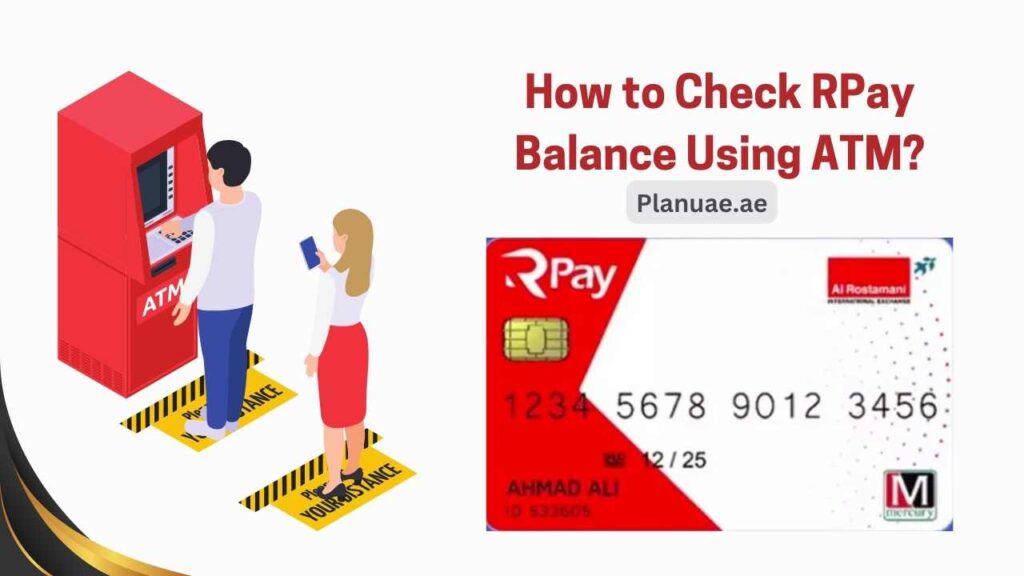
If you are not using the RPay mobile app or SMS, you can visit any nearby ATM. The method is also very simple, as mentioned below
Procedure:
- Find your nearest ATM and present it there with your card.
- Insert the RPay card into the ATM.
- Enter PIN
- Select the Balance Inquiry option.
- View the balance on screen or print it
#5. Check balance through customer support
You can also check your balance by calling the RPay helpline.
- Call the helpline number 800-RPAY (7279) from your registered number
- Provide your RPay card number.
- Provide your Emirates ID or other details to verify your identity.
- The representative will tell you your balance instantly.
Also read: Ajman Traffic Fines Check & Discount
How to Check RPay Card Transaction History
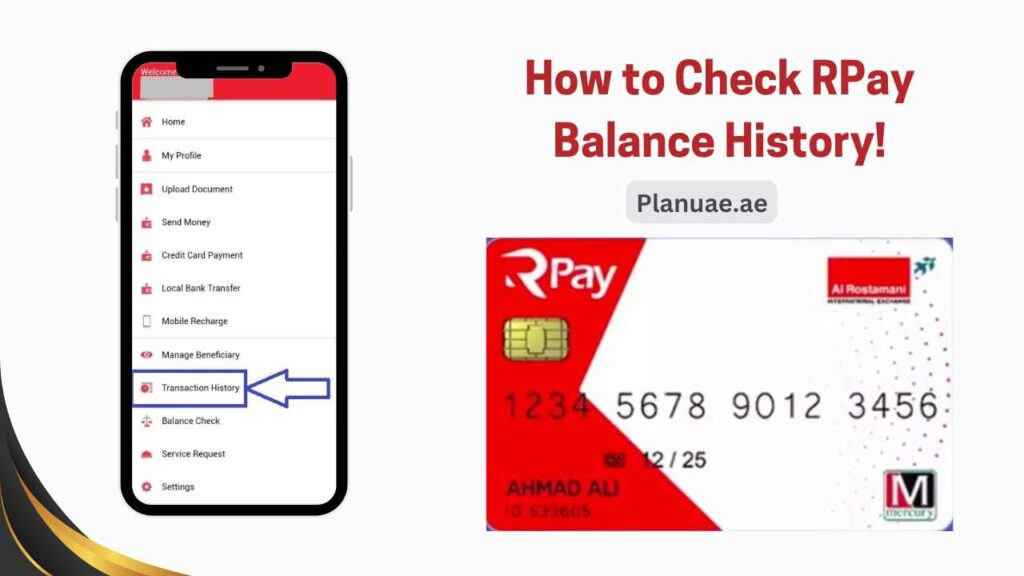
To check your account details, you need to use the Arpay app. With this app, you can see the amount sent, received, and transaction history from your account. Additionally, the Arpay app allows you to manage your finances efficiently and securely. If you’re looking to enhance your banking experience, you can also open emirates nbd salary account directly through the app for easy access to your salary funds. This feature makes it convenient to monitor your account activity and transfers in real-time. Moreover, the Arpay app keeps you informed about any changes in financial policies, such as the uae banks minimum balance increase, so you can plan your finances accordingly. You can also set up alerts for transactions or account changes, ensuring that you are always in control of your financial activities. With these features, the app not only enhances your banking efficiency but also helps you make informed financial decisions.
- Log in to the app
- Go to the menu on the top right side
- Click on Transaction History
- Select a date and download the statement. You can easily see the record of the last 30 days in the app.
Checking your account history will help you keep an eye on any invalid transactions or any strange activity. You can save your account by checking the history once a month. Additionally, if you notice any suspicious transactions, it’s crucial to report them immediately to your bank to prevent any further issues. For those looking to streamline their finances, understanding how to close Mashreq Neo account might also be beneficial if you decide it’s no longer meeting your needs. Regular monitoring of your account not only helps in identifying fraudulent activities but also aids in managing your overall financial health.
FAQs
You must call the helpline 800-RPAY (7279) immediately, after which you will be able to reactivate your card.
Yes, you can transfer money abroad through the ARIE app.
Checking your balance through the ARIE app and SMS service is free. Some services may require you to pay a monthly fee.
Yes, you can use a RPay card for online shopping at any store, including Amazon, eBay, and more.
Summary
RPay card is the best solution to make your financial needs easy and secure. You can check your balance through any of the given methods, be it ATM, app, or call center. All the methods are very easy, and you can check your Rpay balance in just a few seconds. Additionally, managing your finances effectively can also involve understanding how to assess your credit score, which plays a crucial role in your overall financial health. Regularly monitoring your credit score allows you to make informed decisions and take proactive steps to improve it. With the RPay card, you have the tools to not only manage your balance but also enhance your financial literacy.
Employed people can stay informed about all their transactions by subscribing to the SMS service. With this service, they will not need to check their balance information again and again. Whenever there is a salary transfer in their account, they will be notified through SMS. If you want to know more, you can visit Planuae and select the topic according to your problem. We are always ready to answer your questions. Share your opinion in the comments!